

How to Make a Grocery List from Your Weekly Meals (Without Forgetting Anything)
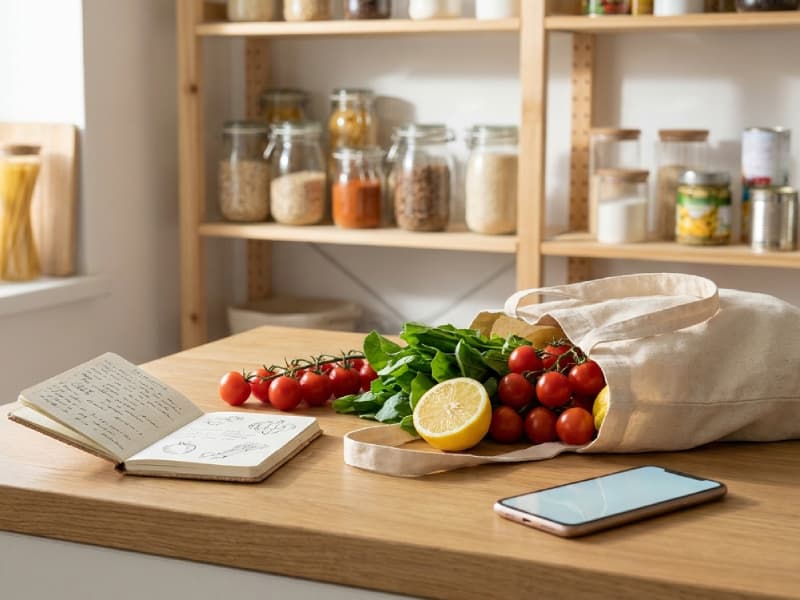
You spend time deciding what to cook this week, and then you're halfway through making Tuesday's pasta when you realise you forgot the tinned tomatoes. Or you get home from the shops, bags in hand, and remember that tonight's stir-fry needs sesame oil. Sound familiar?
The gap between a meal plan and a working grocery list catches most people at least once a week. The fix isn't a better memory — it's a better process.
Step 1: Write out every meal before you open a single recipe
Before touching recipes or apps, get all seven dinners (plus lunches and breakfasts if you plan those) out of your head and onto a page or screen. Don't worry about ingredients yet — just names.
Why does this step matter? Because most forgotten items happen when people switch between recipe and list without ever seeing the full week together. Writing the meals out first lets you spot where ingredients overlap, plan for a leftover night, and avoid buying five bunches of coriander when three recipes all use a tablespoon each.
If you're also planning lunches, note which days you'll eat leftovers from the previous dinner. That alone can trim 20–30% off your list before it even starts.
Step 2: Go recipe by recipe and pull every single ingredient
Open each recipe and write down every ingredient — even the ones you think you already have at home. This is the step most people skip, and it's why olive oil, garlic, and baking powder go missing at 6 p.m. on a Wednesday.
A few things to watch for:
- Quantities matter. If two recipes each need 100 ml of double cream, write down 200 ml total. Add them up before you shop.
- Check the method, not just the ingredient list. Some recipes call for a marinade that requires an ingredient buried in the instructions rather than the headline list.
- Don't forget store-cupboard items. Spices, oils, vinegars, and condiments seem like they're always there — until they're not.
For households with dietary restrictions (gluten-free, keto, vegan, and so on), this step gets more involved. You're not just listing ingredients; you're checking that every item is compatible. Automatic meal planning for special diets can simplify this dramatically by pre-filtering recipes to your needs before you ever write a list.
Step 3: Check what you already have
Once your full ingredient list is assembled, do a quick audit of your fridge, freezer, and store cupboard before adding items to your shopping list. This step prevents duplicate buys and cuts down on food waste.
According to ReFED's 2024 data, the U.S. lets 29% of its food supply go unsold or uneaten — and much of the household portion of that waste comes from buying duplicates of items already on hand or ingredients that spoil before they're used.
A 60-second scan of your shelves for that week's specific ingredients (not a general fridge inventory) is enough. Cross off anything you already have in sufficient quantity, and flag anything that's nearly empty — you might need a partial restock rather than a full new purchase.
While you're at it, check best-before dates on sauces, spices, and tinned goods. If something's going off in the next few days, consider it a free ingredient and cook with what's in your fridge before shopping for new items.
Step 4: Organise the list by store section
A long, unorganised list is one of the top reasons people forget items at the shops. When produce, dairy, and frozen goods are scattered randomly, you're relying on your eyes to catch everything in each aisle — and that's how a bag of spinach gets missed while you're looking for the cheese.
Group items by section: fruit and veg, meat and fish, dairy and eggs, bread and grains, tinned and dry goods, frozen, and household. This mirrors how most supermarkets are laid out, so you move through the shop in one direction instead of backtracking.
A March 2025 NCP Online analysis confirmed that organising a grocery list by store sections reduces both shopping time and the likelihood of missed items — you're working with a mental map, not scanning a wall of text.
This is one of the places where MenuMagic does the heavy lifting automatically. Its shopping lists are organised by supermarket aisles from the start, with each ingredient tagged to the specific day you'll need it — so you can also sequence fresh items to buy later in the week and keep them at peak freshness.
Step 5: Add non-food items and running household needs
Most grocery lists miss a category that turns every trip into two trips: household items. Washing-up liquid, kitchen roll, bin bags, toiletries. These don't come from a recipe, which means they don't make it onto a meal-driven list unless you deliberately add a section for them.
Keep a running list somewhere visible during the week — a whiteboard on the fridge, a note in your phone — and add items as they run out. Before you finalise your shopping list on Sunday (or whenever you shop), transfer that running list into the relevant section.
This is also the right moment to add any ingredients for snacks or drinks that didn't appear in your meal plan.
The case for automating the list entirely
Doing all five steps manually every week works, but it takes 15–30 minutes and introduces human error at every stage. The bigger problem is that it doesn't scale — it's easy to maintain when everything's going well, but skipped entirely on a busy week, which is usually when you need it most.
Apps built specifically around meal-to-list conversion handle the ingredient extraction and aggregation automatically. MenuMagic generates a shopping list directly from your weekly meal plan, consolidates duplicate ingredients across recipes, organises everything by aisle, and even flags which day each fresh ingredient is needed. If you have dietary restrictions or allergies, those are baked into every recipe so the list is already safe by the time it reaches you.
For households where more than one person shops, shared real-time lists mean everyone sees the same version — no duplicate buys, no missed items because someone was working from an older screenshot.
A few things that consistently cause forgotten items
Even with a solid process, a few patterns trip people up repeatedly:
- Saving a recipe on Instagram or TikTok and adding the meal to the plan without checking the full ingredient list first
- Planning a recipe you haven't made before without reading the whole method — marinades, sauces, and garnishes often carry hidden ingredients
- Skipping the store-cupboard check and assuming you have staples
- Writing the list and then editing the meal plan afterwards without updating the list
If you regularly import recipes from social media, MenuMagic's recipe import feature pulls ingredients automatically from Instagram, TikTok, YouTube, and recipe sites — so the list stays in sync with whatever you're actually planning to cook.
Don't let leftover ingredients go to waste
Even a perfect grocery list occasionally leaves you with partial ingredients at the end of the week — half a tin of coconut milk, some wilting kale, a block of cheese. Before writing next week's list, take stock of what's left and factor it in. This is where a leftover recipe generator earns its place: enter what you have, and it suggests meals built around those ingredients rather than starting fresh.
Building this habit closes the loop on the whole system. Your list comes from the plan, the plan accounts for what you have, and what's left over feeds into next week rather than the bin. The essential checklist for weekly grocery shopping covers the recurring staples side of this loop if you want a reliable baseline to start each week from.
Put this method to work
Turn what's already in your fridge into recipes, or grab the printable grocery list.
More posts
 MenuMagic
Recipes
Vegan recipes
Vegetarian recipes
Keto recipes
Protein recipes
Lactose-free recipes
Gluten-free recipes
Low glycaemic index recipes
Resources
Blog
Recipe Generator
Leftovers Recipe Generator
Printable Shopping List
Kitchen Measurement Converter
Calorie Calculator
Seasonal Fruits and Vegetables
Our other apps
WindNow
Our other apps
WindNow


© 2026 MenuMagic.
All rights reserved.